

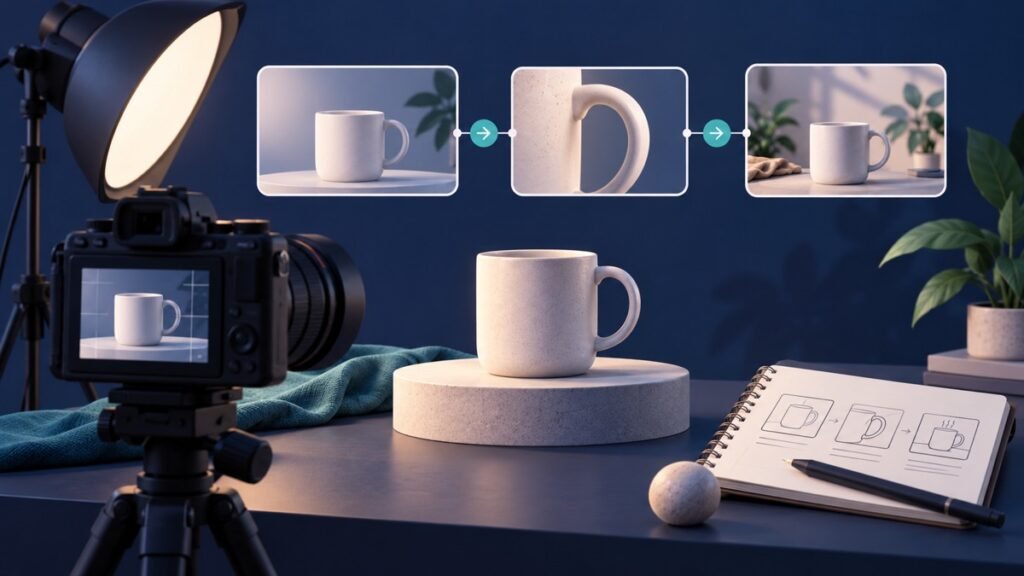
A useful product demo video script tells your team what to film, what to say and what the viewer should do next. Start with one customer question, show the product answering it and finish with a clear invitation.
Use this product demo video script template to plan a short social video before recording. It includes a timed example and a reusable brief for your next filming session. You can adapt the structure to TikTok, Reels or another short-video placement after checking how the finished video looks there.
Choose the question your demonstration will answer
Pick a question that someone might ask before choosing your product. “What does it look like?” calls for a different demonstration from “How do I assemble it?” A single short video becomes easier to plan when the question is specific.
If you need a starting point for TikTok topic research, our Creator Search Insights guide explains how to build a shortlist of content ideas. Choose a question that your product can answer clearly.
Write the question at the top of the brief. Then choose the product action that would answer it on camera. For a folding stand, showing the fold is more informative than repeating the word “portable.” For a storage container, opening the lid and arranging its contents explains the layout.
| Product detail | Question to answer on camera |
|---|---|
| An adjustable part | How does the adjustment work? |
| A compact shape | What does it look like beside an everyday object? |
| Several compartments | What fits in each section? |
| A removable component | How do I take it out and put it back? |
Use the actual item you will sell and the details you can demonstrate. Keep additional questions for later videos; they can become a useful series instead of an overcrowded first script.
Give the script a clear opening, demonstration and close
TikTok’s Creative Codes describes a hook, body and close for advertising creative. The opening earns attention, the body carries the message and the close provides a call to action. That is a useful planning structure for this template, rather than a fixed timing rule.
For your opening, put the customer’s situation and the product in the same scene. Use the middle to show a complete action at a readable pace. Finish by naming one next step: see the available sizes, explore the collection or ask about compatibility.
The script needs two connected tracks: what viewers see and what they hear or read. A line about an adjustment should accompany the adjustment itself. This gives the person filming a precise instruction and makes the edit easier to review.
A 25-second product demo script: worked example
Hypothetical example: a small shop sells a folding phone stand with an adjustable viewing angle. The question is “How does it fit into my everyday routine?” The example timings below are a practical editing plan, not a platform requirement or a record of campaign results.
| Time | Shot and spoken line |
|---|---|
| 0–3 seconds | Show: the stand holding a phone beside a recipe notebook. Say: “Give your recipe its own place on the counter.” |
| 3–8 seconds | Show: hands opening the base and placing the phone in the holder. Say: “Open the base and place your phone in the holder.” |
| 8–15 seconds | Show: a side view of the angle adjustment, then the readable screen. Say: “Tilt it until the screen is easy to read.” |
| 15–20 seconds | Show: the phone removed and the stand folded flat. Say: “Fold it flat when you are finished.” |
| 20–25 seconds | Show: the product beside a short closing caption. Say: “See dimensions and compatible phone sizes through the link in our bio.” |
The sequence shows setup, use and storage. Its closing line tells an interested shopper what information comes next. Before using a similar script, check the real product’s operation and compatibility, then replace the example wording with details that match your item.
Copy this brief for your next video
Complete these fields before filming. Give the same brief to the person recording, editing and approving the video so everyone is working toward the same demonstration.
- Product and version: the exact item, colour or variation shown.
- Viewer: who the demonstration should help.
- Buyer question: the one question the video will answer.
- Visible answer: the action or detail that proves the point on camera.
- Opening: the first shot and its spoken or written line.
- Demonstration: the steps, close-ups and narration in order.
- Next action: the invitation and its destination.
- Owner and review date: who checks the finished version and when.
Read the words aloud while performing the demonstration. If the narration finishes before the action becomes understandable, shorten the wording or give that shot more time. The footage should set the pace of the explanation.
Film the details a shopper needs to see
TikTok’s home and lifestyle creative guidance highlights showing products in use and using closer views to explain details. For your shoot, record a wider view for context and a closer view for the part being demonstrated.
Keep hands, labels and the moving component visible. Record a short pause before and after each action so the editor has room to cut. Check that captions describe the same item or movement shown in the frame.
Make the spoken explanation easier to review with our TikTok caption guide. It explains the caption layers and includes a practical worksheet for checking product names, quantities and instructions against your footage.
TikTok’s video advertising guide recommends mobile-first framing and keeping text clear of interface elements. Preview your finished video in the intended placement; a caption that is readable in the editing window can still need repositioning on a phone.
Make the next action easy to follow
Match the closing invitation to a destination the viewer can actually use. If the video says “See the dimensions,” make those dimensions easy to find on the linked page. If it asks for a question, decide who will respond and what information they need.
For TikTok website destinations, our guide to adding a website link to your TikTok bio explains the setup. Keep your video’s wording aligned with the link available on your account.
Review the video, then plan its promotion
Watch the edit once without pausing. Can you identify the product, understand the demonstrated action and follow the invitation? Ask someone unfamiliar with the brief to explain what they saw. Their unanswered question can identify a missing shot or a useful follow-up video.
Add the finished script and approval date to your social content calendar. After publishing, record the questions viewers ask and the next demonstration you want to make. Build your next version around a specific observation.
Ready to organize promotion around the finished video? Explore Famix’s TikTok views packages and choose an option that fits your campaign plan. A clear script, a visible demonstration and a useful next step give your creative a strong foundation.
Author Profile

- Basit Ali is a digital entrepreneur and SEO specialist dedicated to helping brands and creators scale their online presence. Based in Lahore, he brings hands-on expertise in technical SEO, organic reach, and social media marketing. At Famix, Basit shares actionable insights and proven strategies for hacking platform algorithms, building authentic engagement, and turning casual scrollers into a dedicated, monetized audience across TikTok, Instagram, and Facebook.
Latest entries
 Social Media Growth StrategyOctober 20, 2026Social Media Campaign Brief Template for Small Businesses
 YouTube Growth and MonetizationOctober 18, 2026How to Create a YouTube Playlist for Product Demos
 Social Media Growth StrategyOctober 18, 2026How to Add a Link to an Instagram Story: Business Guide
 Social Media Growth StrategyOctober 15, 2026How to Pin Instagram Posts: A Business Profile Checklist