
Strong Pinterest Pin titles and descriptions help a shopper recognize the product, understand its use and decide whether to visit the product page. Start with what the image shows, add the buying detail that matters and make the destination a natural continuation.
This guide gives you a practical writing formula, product-page examples and a reusable worksheet. Use it to create clear, persuasive Pins for individual products and collections without turning the description into a list of disconnected keywords.
Choose the destination before writing the Pin
Open the page you want the visitor to reach. Identify its main product, available options, useful specifications and next action. Then decide what the Pin should promise.
Pinterest’s official creation guide explains that you can add a destination link alongside a Pin’s descriptive details. It also recommends reviewing the design, title and link before publication. Treat those elements as one connected customer journey.
A Pin introducing one desk organizer should usually lead to that organizer’s page. A Pin comparing three organizer styles needs a destination where visitors can see those choices. If your title promises a room-planning guide, the landing page should contain that guide. Match the next step to the reason someone clicked.
Write the title around the product and buying situation
Use this starting formula: product type + relevant use or distinguishing detail. Choose the detail from the image and product information, then remove anything that does not help the shopper identify the offer.
- Product: What is the item? Use a recognizable category such as desk organizer, linen tablecloth or canvas tote.
- Use: Where or when does it help? Examples include a compact desk, a dining table or a weekend market trip.
- Detail: Which visible or verified feature matters? This could be size, material, colour or a specific configuration.
Put the clearest identifying words early. “Desk Organizer with Three Compartments” gives a reader useful context immediately. “Meet Your New Favourite” can work as a supporting visual line, but it leaves the title’s product-identification job unfinished.
Write naturally. You do not need every variation of “desk storage,” “office organizer” and “desktop tidy” in the same title. Pick the phrase that best describes this product and let the description add the useful context.
Use the description to answer the next buying question
A practical description has three parts: the product and use, a relevant detail, and a clear next step. Two or three useful sentences are a good writing starting point; use the space needed to make the offer understandable within the field available.
Reusable formula: “Organize [specific items or situation] with . [Verified feature] helps you [practical use]. Visit the product page to [see options, check dimensions or choose a version].”
The description should add information beyond the title. If the title names the organizer, explain what fits in its compartments or direct the reader to the dimensions. If the image presents a colour choice, explain where to compare the available finishes.
Use product facts your team can confirm. A precise size, material or included component can make the description more persuasive because it gives the shopper something concrete to evaluate.
Worked example: three Pins for one fictional product
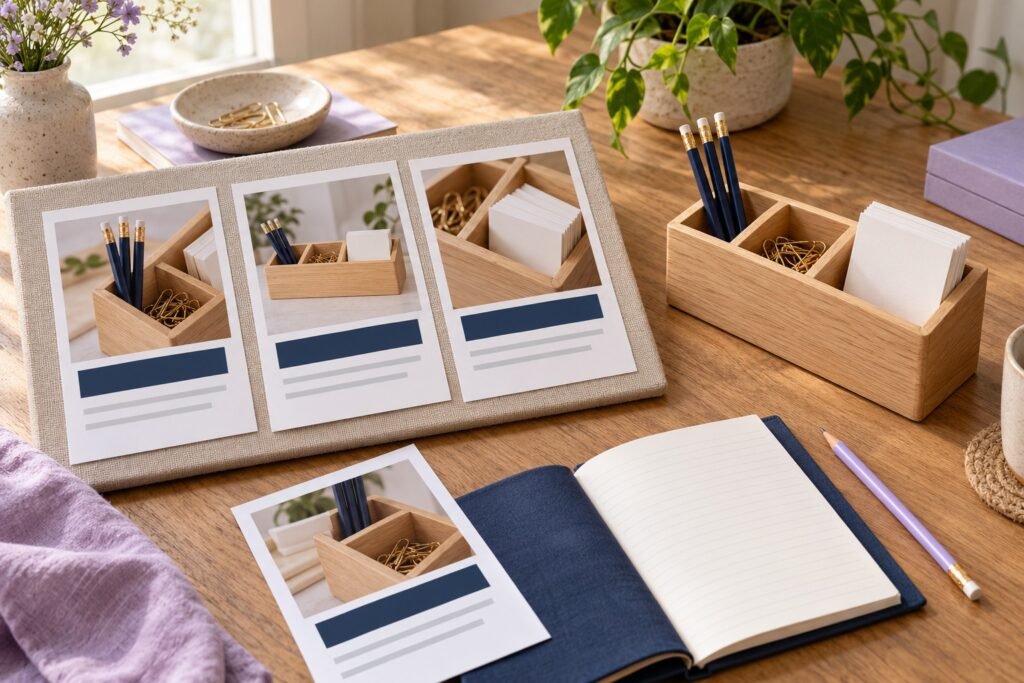
Imagine a fictional homeware shop selling a pale oak desk organizer with three compartments. Its product page includes dimensions, compartment photographs and available finishes. The examples below assume those details are accurate for that imagined product.
| Image and angle | Pin title | Pin description |
|---|---|---|
| Organizer holding pens, clips and note cards | Oak Desk Organizer for Everyday Stationery | Give pens, clips and note cards a dedicated place with this three-compartment oak desk organizer. See the compartment layout and dimensions on the product page. |
| Close-up showing the three compartments | Three-Compartment Oak Desk Organizer | Separate small stationery essentials with a three-compartment desktop organizer. Explore the close-up photographs and check the measurements before choosing a place for it. |
| Organizer beside a notebook in a compact workspace | Oak Desk Organizer for a Compact Workspace | Plan a tidy stationery area beside your notebook with this oak desk organizer. Visit the product page to compare its dimensions with the space available on your desk. |
Each Pin offers a different reason to look at the same product. The image supports the angle, and the description tells visitors what the linked page will help them check. Create genuinely useful variations by changing the buying question and supporting visual together.
Check the path from image to product page
Read the title while looking at the image, then open the link on a phone. A visitor should be able to recognize the product quickly and find the detail promised in the description.
- The pictured product or collection appears on the destination.
- The title describes the actual item and the image’s main angle.
- The description’s materials, sizes and options match the page.
- The linked page makes the next step easy to find.
- Any offer date or promoted option is current when the Pin is released.
For a coordinated product launch, record the approved offer and destination in a campaign brief. That gives the person writing Pins and the person maintaining the shop the same instructions.
Copy this Pin-writing worksheet
- Destination URL: Which exact product or collection page will open?
- Buyer question: What is the person trying to choose or understand?
- Image: What visible detail answers part of that question?
- Main phrase: What familiar words describe the item?
- Title: Product type + useful context or detail.
- Description: Product use + verified detail + next step.
- Final check: Does the page deliver what the Pin promises?
Review clicks and improve the next batch
Pinterest’s analytics documentation distinguishes Pin clicks, which open the Pin in close-up, from outbound clicks, which lead off Pinterest. For a product-page campaign, review outbound clicks alongside website activity and orders. A business account is required for Pinterest Analytics.
Label campaign links consistently using our UTM tracking guide. Compare Pins with similar products, publication windows and promotion conditions, then use the findings to choose the next product angle. Prepare your strongest images and destinations before exploring Famix’s social media services; our SMM order checklist helps organize the links and requirements for your promotion.
Author Profile

- Basit Ali is a digital entrepreneur and SEO specialist dedicated to helping brands and creators scale their online presence. Based in Lahore, he brings hands-on expertise in technical SEO, organic reach, and social media marketing. At Famix, Basit shares actionable insights and proven strategies for hacking platform algorithms, building authentic engagement, and turning casual scrollers into a dedicated, monetized audience across TikTok, Instagram, and Facebook.
Latest entries
 Social Media Growth StrategyOctober 26, 2026Monthly Social Media Report Template for Small Businesses
 LinkedInOctober 25, 2026LinkedIn Company Page Content Plan for Small Businesses
 PinterestOctober 24, 2026Pinterest Pin Titles and Descriptions for Product Pages
 YouTube Growth and MonetizationOctober 23, 2026How to Add and Edit YouTube Subtitles for Product Videos