

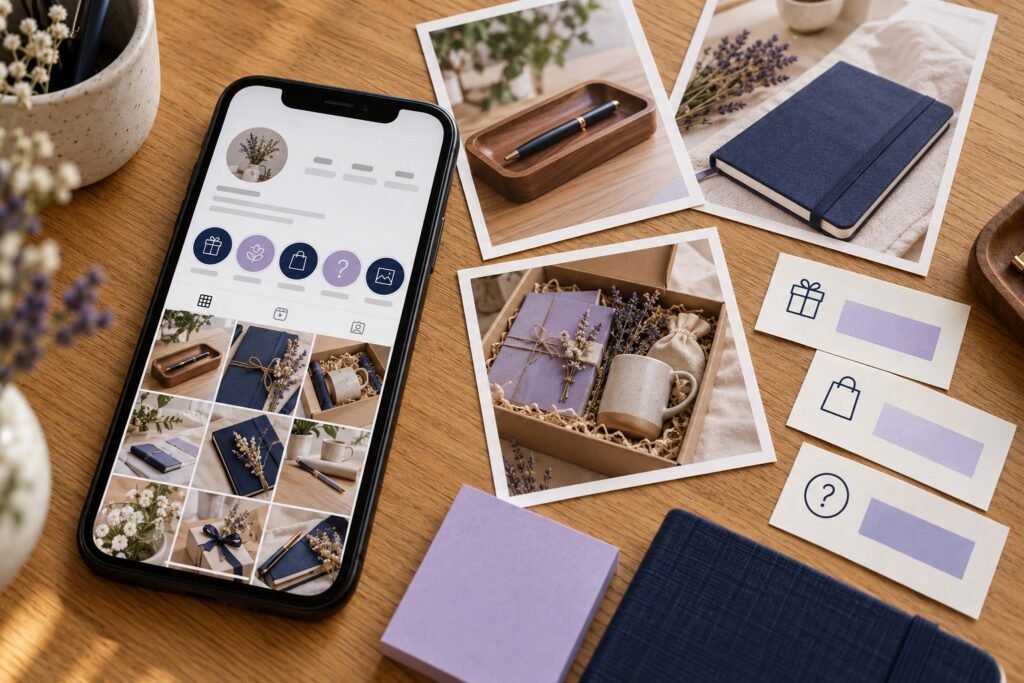
Instagram Highlights give a small business a place to keep useful Stories available on its profile: what you sell, how to order and the answers customers need before contacting you. A focused set of Highlights can turn a profile visit into a clear route towards an enquiry.
Start with the questions your customers actually ask. Then build short collections that answer those questions and finish with a relevant next step. This guide includes a practical structure, a fictional business example and a maintenance checklist you can reuse.
Choose Highlights around buying questions
Review recent enquiries, sales conversations and comments. Write down the questions that keep appearing: which option suits me, what is included, where do you deliver, and how do I get started? Group questions only when a visitor would naturally want the answers together.
For a first version, choose three to five collections you can keep accurate. That is a planning recommendation, not an Instagram limit. A smaller, useful set is easier for your team to maintain as products, hours and offers change.
| Highlight | What to include |
|---|---|
| Start Here | Who the business serves, its main offer and where a new customer should go next. |
| Products or Services | Current options, useful differences and a clear way to request details or order. |
| How to Order | The steps customers follow, information they should prepare and the destination for their request. |
| FAQs | Short answers to recurring questions, supported by a demonstration or example when useful. |
| Our Work | Relevant examples of completed work, with enough context to explain what the customer is seeing. |
Use labels your customers understand. “Book” is clearer than an internal campaign name. If your offer has several distinct audiences, name the collections for those audiences instead of forcing every visitor through the same information.
Plan each collection as a short customer journey
Give every Highlight a beginning, an answer and an action. The opening Story should identify the topic immediately. The middle Stories deliver the information. The final Story explains what to do with it.
Use this four-part outline when preparing a new collection:
- Orient: state the question the collection answers.
- Explain: present the essential information in a few readable frames.
- Show: include a product detail, process demonstration or relevant example.
- Invite: direct the visitor to an order page, booking route or specific message.
Write Stories so they remain understandable outside their original posting day. “Available this Friday” quickly loses context. A named date, current offer and clear destination help someone viewing the Highlight later understand what applies.
Keep one main idea on each frame. Preview the text on a phone, use strong contrast and make the meaning understandable without sound. If the answer needs a long explanation, introduce it briefly and point to the full details.
Create and update an Instagram Highlight
Instagram’s official Highlight instructions explain that selected Stories remain visible as Highlights until you remove them. In the app, open your profile, choose New or Story highlight, select the Stories, then choose a cover and name before completing the addition.
To add more content later, open the Highlight’s editing options. Instagram’s edit and delete guidance also covers removing an individual Story from a collection. Check the actual viewing sequence after making changes so introductions and instructions still make sense.
Prepare the Stories before building the collection, and check that the material you need is available in your account. A consistent cover style helps the set look intentional, while a clear name tells visitors what they will find. Preview both together at profile size.
Example: a custom gift studio
Imagine Cedar Gift Studio, a fictional business selling personalized desk gifts. Its customers regularly ask which items can carry a logo and what information is needed for a quote. The studio creates a “Team Gifts” Highlight with this sequence:
- Frame 1: “Planning gifts for your team? Explore our personalized desk sets.” Show one complete set.
- Frame 2: Present the available items with their names, using the studio’s current catalogue.
- Frame 3: Show a close-up of a logo placement on a sample, labelled as a sample.
- Frame 4: Explain the information needed: item choice, quantity, delivery country and required date.
- Frame 5: Invite visitors to request a quote through the relevant page.
A separate “FAQs” Highlight answers questions about artwork preparation and the ordering process. This keeps the product introduction concise while giving interested buyers a route to more detail. The example is a planning model; replace every offer detail with your own current information.
Make the next step match the Highlight
A product collection should lead to that product or collection. A booking explanation should lead to the booking route. Sending everyone to a general homepage adds another decision at the moment a visitor is ready to act.
Where a Story uses a link sticker, choose a descriptive label such as “View desk sets” or “Request a quote.” Our Instagram Story link sticker guide covers setup and destination checks. Open the saved Highlight yourself and test the link on a phone.
For message enquiries, ask for information your team can use: “Send your quantity and required date” is more helpful than “DM us.” Give someone responsibility for responding so the route continues after the visitor takes action.
Use this monthly Highlight checklist
- Does every collection answer a recognizable customer question?
- Do names and covers remain readable on the profile?
- Are products, dates, locations and ordering instructions current?
- Does each collection open with enough context for a new visitor?
- Do examples clearly identify the product or work being shown?
- Does the final action match the destination, and does it work?
- Have new recurring questions emerged that deserve an answer?
Repeat these checks whenever an offer changes, as well as during your regular review. Note the questions customers still ask after viewing the profile; they can reveal missing information or labels that need to be clearer. Combine the review with our Instagram profile audit checklist.
Prepare your profile for promotion
Build your first useful set of Highlights, test the route to an enquiry and keep the answers current. When your profile is ready for its next campaign, explore Famix’s Instagram promotion services with a clear offer and destination in place.
Author Profile

- Basit Ali is a digital entrepreneur and SEO specialist dedicated to helping brands and creators scale their online presence. Based in Lahore, he brings hands-on expertise in technical SEO, organic reach, and social media marketing. At Famix, Basit shares actionable insights and proven strategies for hacking platform algorithms, building authentic engagement, and turning casual scrollers into a dedicated, monetized audience across TikTok, Instagram, and Facebook.
Latest entries
 Instagram marketingNovember 20, 2026Instagram Highlights for Small Businesses: Organize Offers and FAQs
 Social Media Growth StrategyOctober 26, 2026Monthly Social Media Report Template for Small Businesses
 LinkedInOctober 25, 2026LinkedIn Company Page Content Plan for Small Businesses
 PinterestOctober 24, 2026Pinterest Pin Titles and Descriptions for Product Pages