
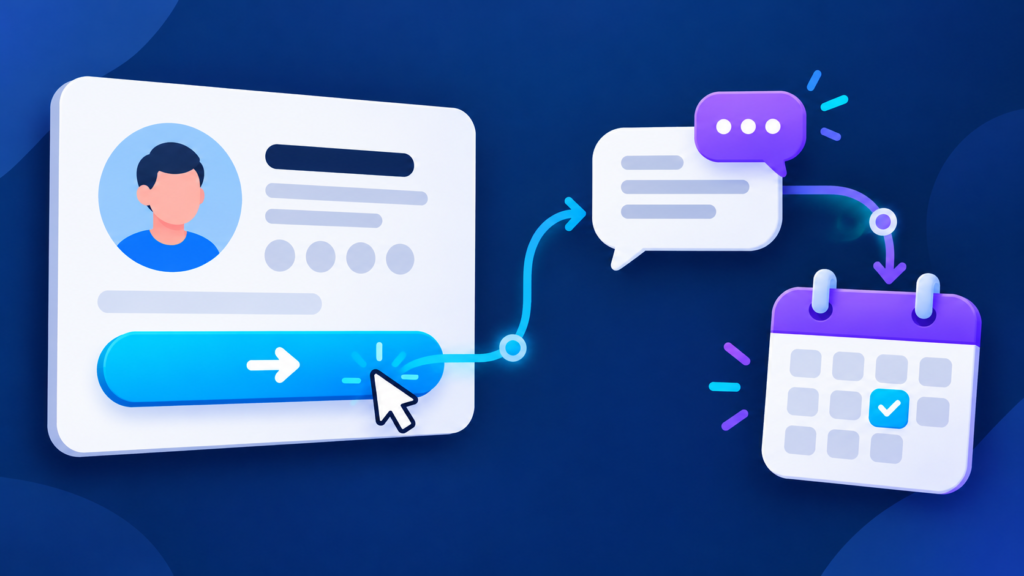
Your Facebook Page action button should make the next step clear for someone who is interested in your business. Decide what that visitor needs to do, prepare the destination, and check the journey on a phone before making the button part of your next campaign.
This guide helps you choose a useful customer action, review an existing button and test what happens after a visitor selects it. It includes a decision table and a fictional service-business example you can adapt to your own Page.
Choose the customer action before the button
Start with one sentence: “After visiting our Page, the customer should be able to…” Finish it with a specific task. Reading service details, asking about availability and reserving an appointment require different destinations and different follow-up arrangements.
Use the table to plan that task. These are customer goals, rather than a list of button labels. Choose the closest suitable option actually available in your Page’s settings.
| Customer goal | What your business should prepare |
|---|---|
| Understand the service | A page explaining the offer, who it suits and the next step. |
| Ask a question | A monitored contact route and a person responsible for replies. |
| Discuss availability | Current service hours, location coverage and information needed to answer. |
| Arrange an appointment | A working booking destination with the correct service and calendar. |
| Explore products | The relevant collection or product information, with current purchasing details. |
Choose a route your team can maintain. A booking destination needs an accurate calendar. A contact route needs someone ready to answer. A service page needs enough detail for a visitor to understand what they are considering.
Review or change an existing action button
Meta’s instructions for editing a Page’s action button say that you need Facebook access to make the change. Its computer workflow is:
- Use your profile photo and See all profiles to switch into the intended Page.
- Open the Page, then open the action-button controls below its cover photo.
- Select Edit action button, followed by Change button.
- Choose an available button, continue with Next, complete the instructions and save.
Check the Page name before saving, especially if you manage several businesses. Complete the fields shown for your selected option. If the controls are missing, first confirm that you are using the intended Page and have the access described in Meta’s guidance.
Match the destination to your Page’s offer
Read your Page introduction and recent promotional post, then open the button’s destination. The visitor should recognize the same business, service and next step. A post about one service is easier to follow when the destination makes that service easy to find.
For a website destination, check the opening heading, service information and contact route. Give visitors the details they need before asking them to complete a form. For a contact destination, decide which details your team will request so the conversation can move forward efficiently.
Keep a short handover note containing the Page name, intended customer action, destination, responsible teammate and last review date. That note gives the next person managing the Page a clear reason for the current choice.
Example: a service Page with one clear next step
Fictional planning example: a mobile bicycle-repair business uses its Facebook Page to explain home visits. Its team frequently answers two questions: “Do you cover my area?” and “Can you work on my type of bicycle?”
The owner chooses a customer journey that starts with a service-information page. That destination lists the coverage area, explains the repairs offered and provides a way to ask about a visit. The team selects an available Page button that supports that destination.
The owner then checks the journey on a phone. A visitor can recognize the service, review coverage and find the inquiry route. The teammate handling inquiries knows to confirm the area and bicycle details before discussing availability. This is a worked planning example, not a report of campaign results.
Run this check before your next campaign
- Correct Page: confirm the business name and account you are viewing.
- Clear invitation: check that the button suits the action described in your Page content.
- Correct destination: follow the button and confirm it opens the intended website or contact route.
- Mobile usability: check readable text, accessible controls and any form or booking steps on a phone.
- Current details: review the service, location, opening hours and availability information relevant to the journey.
- Ready follow-up: confirm who handles incoming questions and where they record them.
Repeat the check after changing your website, booking provider or contact details. If a campaign promotes a different offer, review whether the existing destination still fits. Small destination changes can otherwise leave a useful Page pointing to outdated information.
Review visits and useful customer actions
When the selected option accepts a website URL, a tagged campaign link can help you identify those visits in your analytics. Use our social media UTM tracking guide to keep your naming consistent. Check that the final destination still opens correctly after adding the tags.
Record the date of a button or destination change alongside the questions and inquiries your team receives. Review website visits and completed inquiries separately. A visit tells you someone arrived; a completed inquiry tells you they took the contact step. Use that distinction to decide which part of the journey needs attention.
Prepare your Page, then choose your promotion
A checked destination gives your campaign a clear place to send interested visitors. Once your Page and customer journey are ready, explore Famix’s Facebook Page Likes & Followers packages or Facebook Post Likes packages. Compare the current options and choose the service that matches the Page or post in your plan.
Author Profile

- Basit Ali is a digital entrepreneur and SEO specialist dedicated to helping brands and creators scale their online presence. Based in Lahore, he brings hands-on expertise in technical SEO, organic reach, and social media marketing. At Famix, Basit shares actionable insights and proven strategies for hacking platform algorithms, building authentic engagement, and turning casual scrollers into a dedicated, monetized audience across TikTok, Instagram, and Facebook.
Latest entries
 Social Media Growth StrategyOctober 26, 2026Monthly Social Media Report Template for Small Businesses
 LinkedInOctober 25, 2026LinkedIn Company Page Content Plan for Small Businesses
 PinterestOctober 24, 2026Pinterest Pin Titles and Descriptions for Product Pages
 YouTube Growth and MonetizationOctober 23, 2026How to Add and Edit YouTube Subtitles for Product Videos